Adrastia ACES user manual
Updated November 12, 2026. ACES (Adrastia Certified Evidence Specialist) candidate guide: apply, study, test, card and reviews.
ACES certifies licensed private investigators who know the Adrastia platform and lawful evidence handling. This manual walks you through applying for a Founding 30 spot and what happens after.
ACES is not a state license, and it does not make evidence admissible. A court always decides that. This is not a job. Adrastia does not hire you, pay you, or guarantee you any work.
Each section is one task. The words in bold are the exact words on your screen.
Point at, tab to, or tap a main button to see a short note on what it does. When you click into a box, a Next step: hint shows under it.
Want this on paper? Download the PDF manual.
User's Guide (PDF): Adrastia ACES User's Guide · Full Adrastia User's Guide.
Part 1. Apply
Know the five steps
Licensed private investigators
- Apply. Claim one of the 30 founding spots.
- Study. Read the ACES guide. It covers Adrastia HQ.
- Pass. Take the test: 40 questions, 80% to pass.
- Get your card. Your ACES card is made. $20 is the only cost.
- Get listed. You are listed as a certified reviewer, with a credential ID for your site.
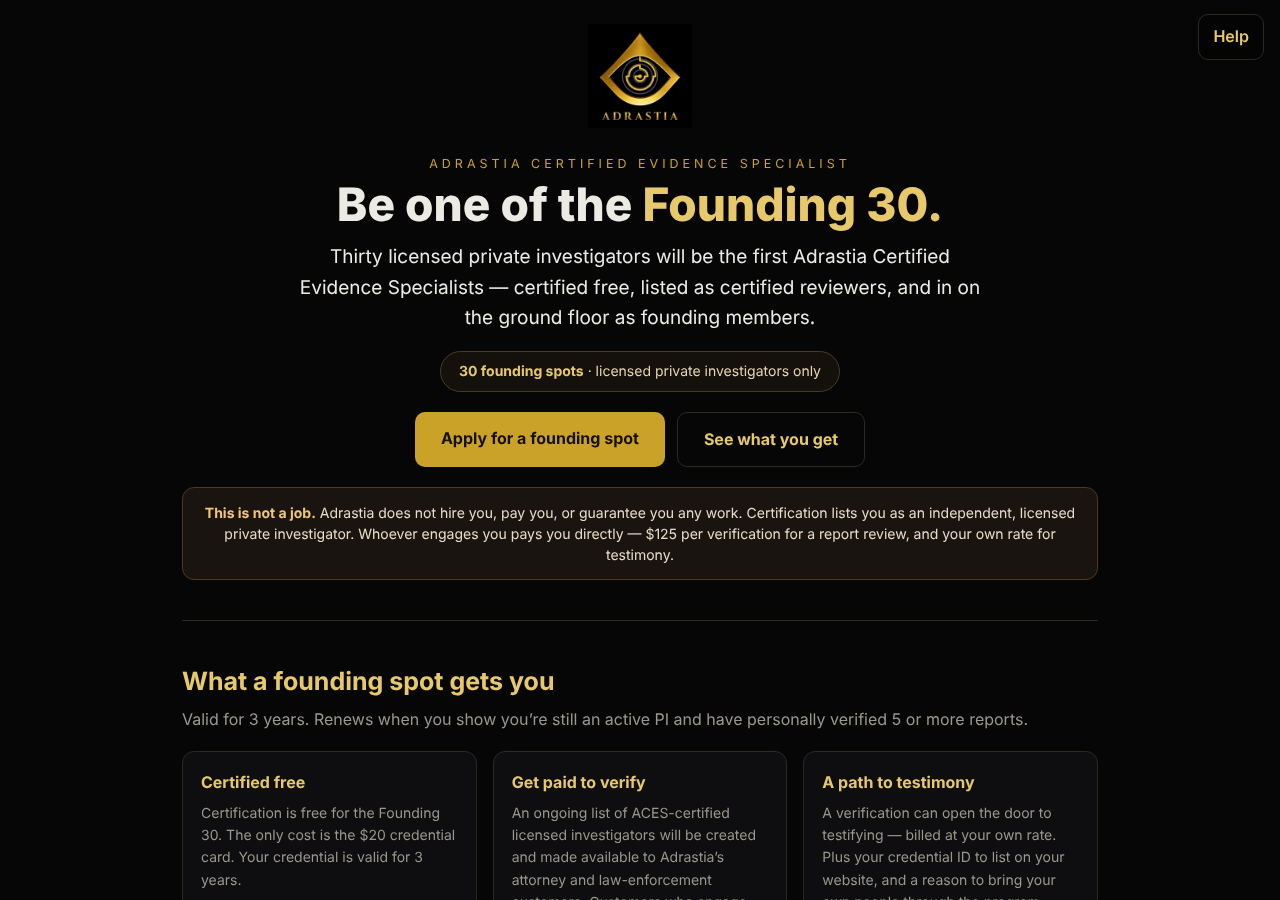
Certification is free for the Founding 30. Your credential is valid for 3 years. It renews when you show you are still an active PI and have personally verified 5 or more reports.
Fill in the application
Licensed private investigators
Open to licensed private investigators only. Every application is reviewed on merit.
- Go to adrastiaaces.com. Click Apply for a founding spot or Open the application →.
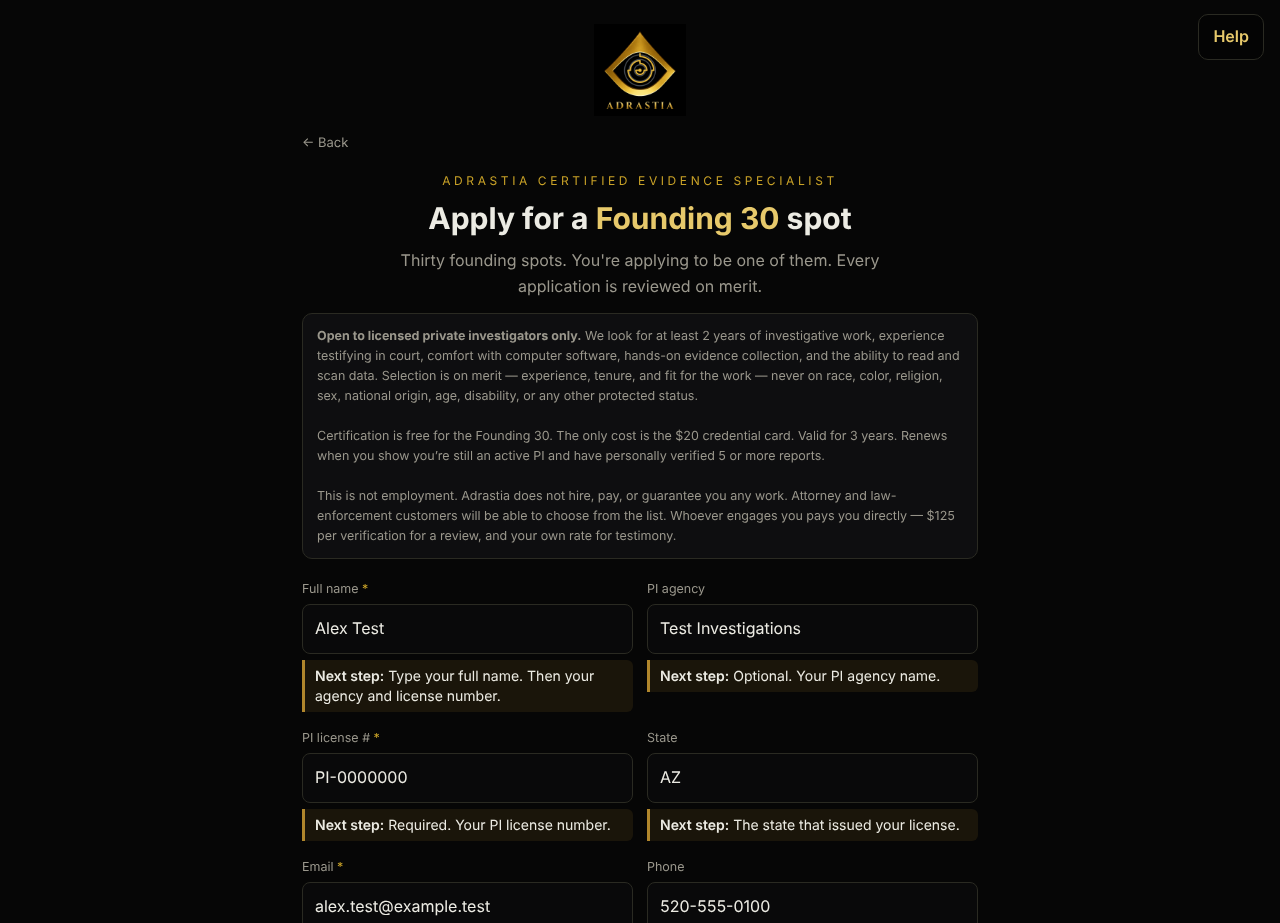
- Type Full name, PI license # and Email. These three are required.
- If you want, type PI agency, State, Phone, Years as an investigator and Have you testified in court?.
- Describe your experience in Relevant experience — evidence collection, software you use, reading and scanning data.
- If you want, add your resume: drag it onto the box, or click browse your files. PDF, Word, or image.
- Check the box to agree to the ACES Candidate Terms and the Privacy Policy.
- Click Send my application →.
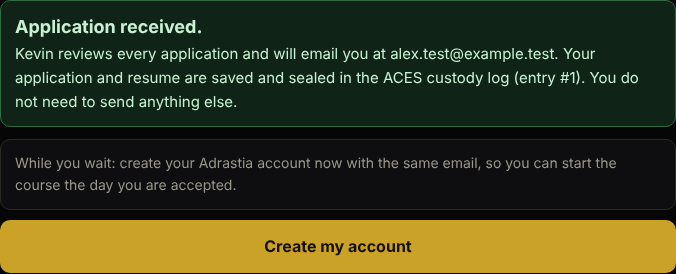
The page says Application received. Your application goes straight to Kevin. There is no email to send.
Your application and resume are saved to Adrastia and sealed in the ACES custody log. Your resume goes to a private file store only Adrastia can open.
If it says…
| If it says | Do this |
|---|---|
| Please fill out this field. | Fill in the required box. Required boxes have a *. |
| Please check this box if you want to proceed. | Check the consent box. |
| Please include an '@' in the email address. | Fix your email address. |
| We already have an application for this email. | Nothing to do. Kevin will contact you at that email. |
| Your resume must be a PDF, a Word file, or a picture (PNG or JPG). | Save your resume as one of those, or type your experience instead. |
| Your details are saved, but the resume did not upload. | Click Try the upload again. Or click Send without the file. |
After you press Send
Licensed private investigators
- Wait for Application received. Keep the page open while your resume uploads.
- Click Create my account. Your email is already filled in. Type a password and click Create account.
- Open the confirmation email from Adrastia and click the link. It brings you back to the ACES course page, signed in.
- Kevin reviews your application and emails you.
Part 2. After you are selected
Study, pass the test and get your card
Selected candidates
- If you are selected, sign in at adrastiaaces.com/course.html with the email you applied with. Forgot your password? Click Forgot password? on the sign-in box.
- Read the ACES guide.
- Take the test. 40 questions. You need 80% to pass.
- Get your ACES card. The $20 credential card is the only cost.
Add your credential to Adrastia HQ
Certified investigators
- Nothing to type. When you pass, your credential ID is added to your Adrastia HQ profile under Credentials. HQ uses the same sign-in.
- It prints as verified in the certification block of each report you create.
- If your HQ profile is set to attorney or law enforcement, your course page shows Print my ACES credential instead. Click it to switch.
- Anyone can check your credential at adrastiahq.com/verify.
Do a signed report review
Certified investigators engaged by a customer
The review is done inside Adrastia HQ, on the case itself. Whoever engages you pays you directly: $125 per verification for a review, and your own rate for testimony.
- The case lead adds you to the case as a free Viewer.
- Open the case. Read the evidence, the matches and the custody log.
- Open the case's Review tab. Work the ACES Report Review Checklist: 29 items in 11 sections.
- Mark each item Pass, Concern or N/A. A Concern needs a note that says what is wrong.
- On the same tab, check the report PDF you were given. HQ works out its SHA-256 fingerprint on your device and matches it against every report made from that case. The file is not uploaded.
- Sign off with your name, your ACES number and your findings.
The finished review is sealed with its own SHA-256 fingerprint and cannot be changed. Starting the review, every mark and your sign-off are recorded in the custody log under your name.
When you sign a review, you verify the handling: that the report came from sealed records and the fingerprints and chain of custody check out. You do not verify facts you did not gather.